DocsVidNext API
Keys and permissions
API keys for REST and MCP — what each permission allows, per-key limits, team keys, replacing and revoking, and what to do if a key leaks.
Every call carries your key in the Authorization header:
Authorization: Bearer vn_live_…Keys never go in a URL. A request without a valid key gets 401 with a WWW-Authenticate: Bearer header.
Create a key
Settings → VidNext API → New key Show me in the app ↗ asks for:
-
Name Show me in the app ↗ — what uses it ("n8n production").
-
Permissions Show me in the app ↗:
Permission Allows readYour account, presets, voices, themes, channels, your videos and their downloads createStarting new videos and price checks — they spend credits like videos made in VidNext manageCanceling queued videos and deleting finished ones -
Limits (optional) Show me in the app ↗:
- Videos a day — how many videos this key may start a day (UTC). Empty = no limit.
- Slots kept for the app — how many videos-at-once slots this key leaves free for people working in VidNext (empty = 1 when you can run more than one), so an agent never fills them all. Never all of them: the key can always run one video.
- Delete finished videos after (days) — auto-delete for the videos this key makes.
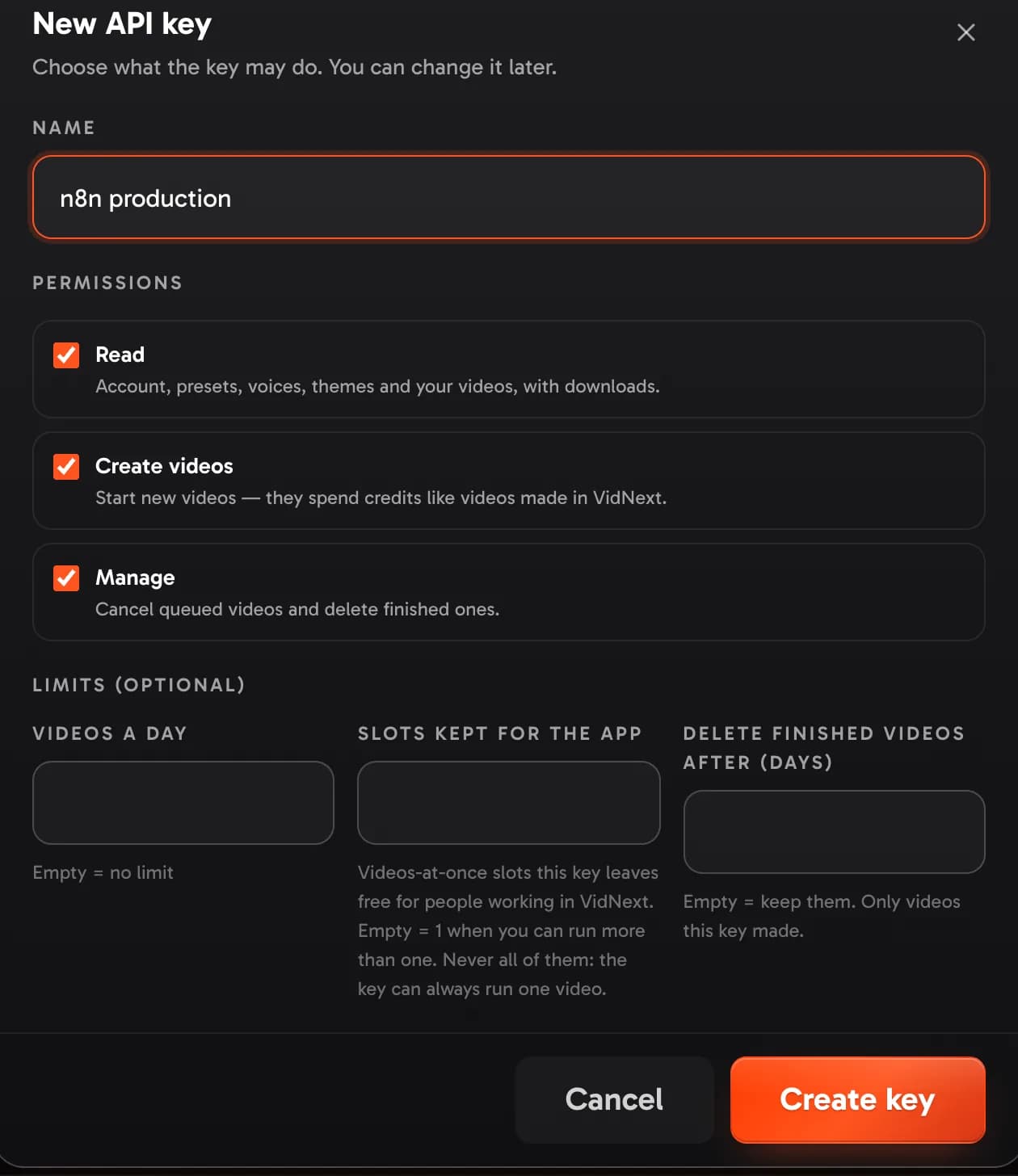
Press Create key Show me in the app ↗. The key is shown once Show me in the app ↗ — copy it then; VidNext keeps only a fingerprint. The window also gives the Claude Code command with the key already in it.
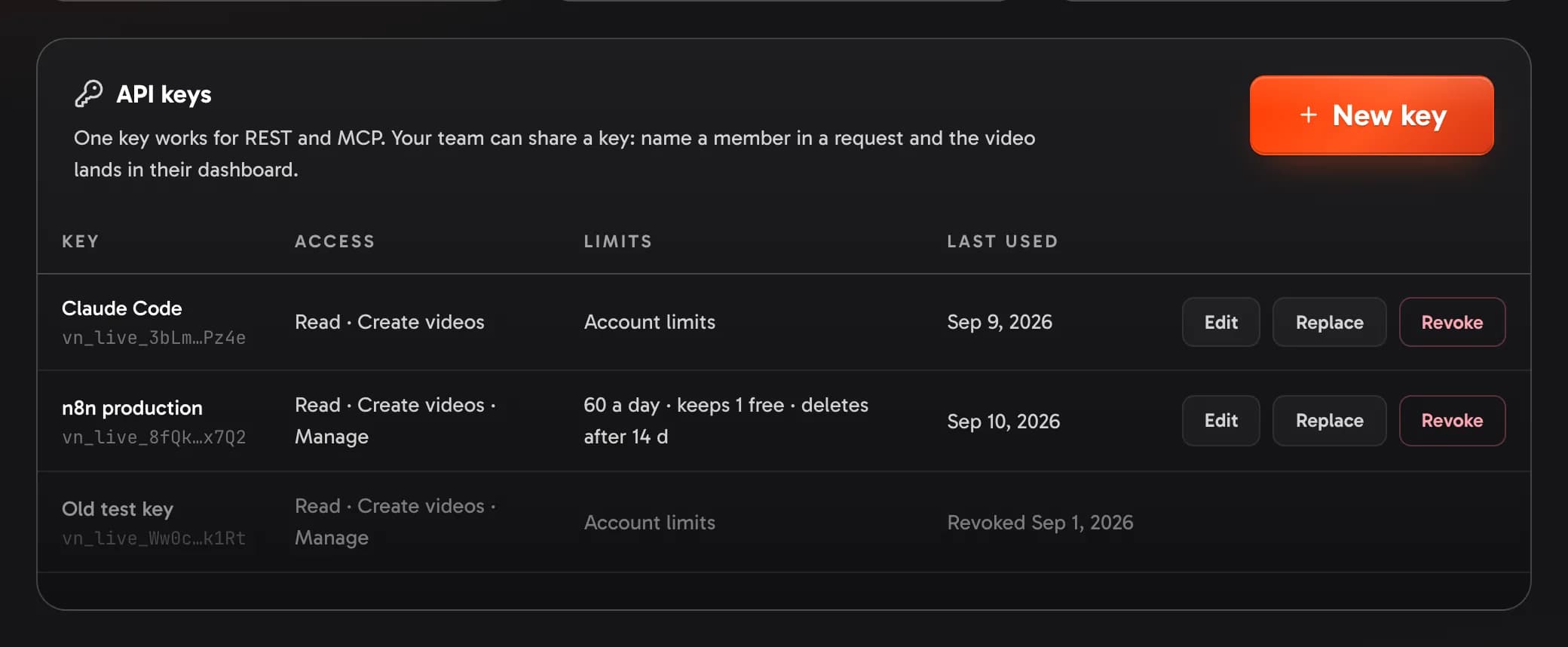
An account holds up to 20 keys. Edit Show me in the app ↗ changes a key's name, permissions and limits; Revoke Show me in the app ↗ stops it within a minute (videos it made stay).
Replace a key
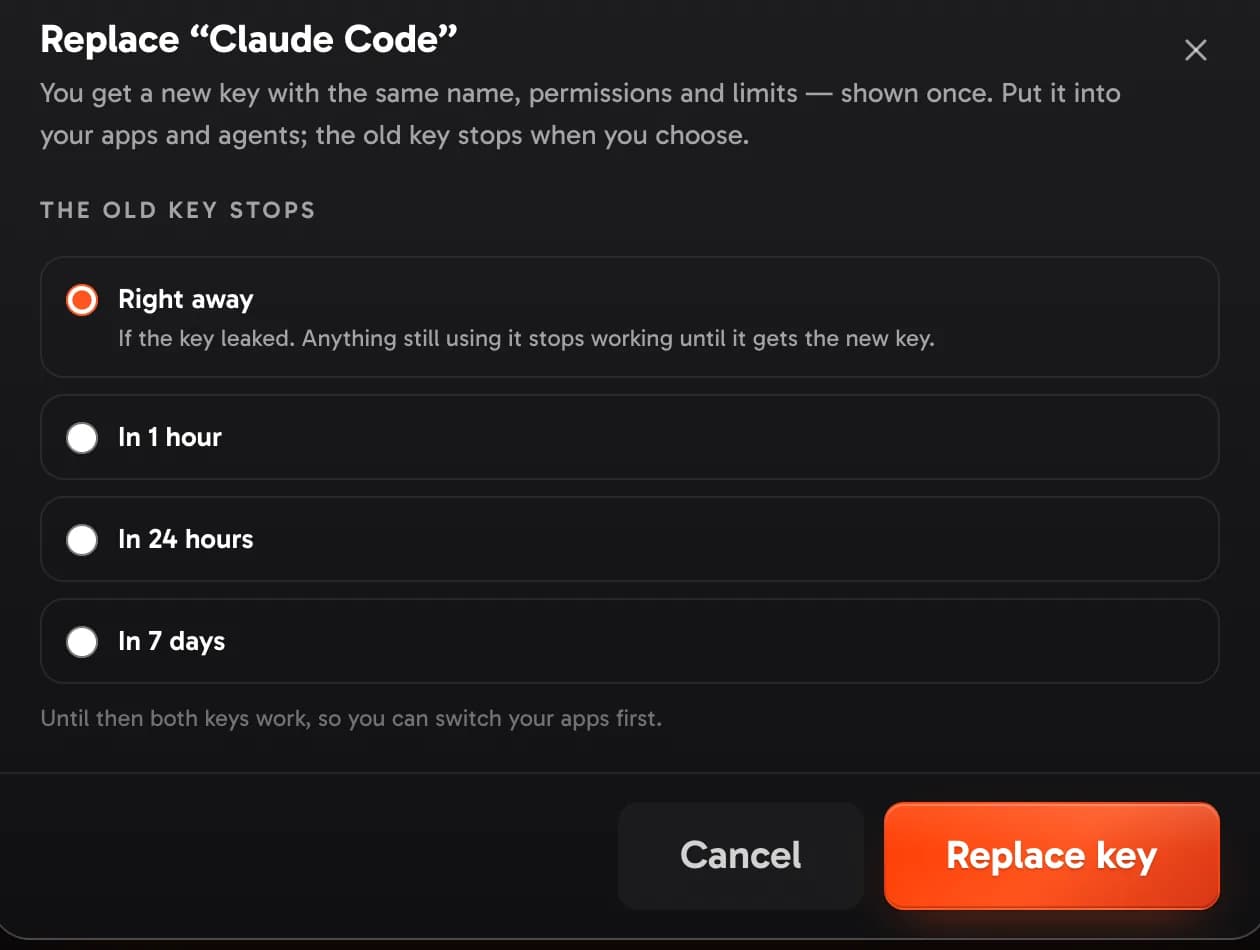
Replace Show me in the app ↗ gives you a new key with the same name, permissions and limits — shown once, like a new key. You choose when the old one stops Show me in the app ↗:
- Right away — when the key leaked. Anything still using it gets
401until it has the new key. - In 1 hour, in 24 hours or in 7 days — for a routine change. Both keys work until then, so you can switch your apps first. The old key's row shows when it stops, and Last used tells you whether something still uses it.
If a key leaks
Stop it
Replace it with Right away — or Revoke it if nothing should use it any more. It stops within a minute, for REST and MCP alike.
Put the new key where the old one was
Your automations (n8n, Make, Zapier), your scripts, and every agent you connected — Claude Code, Claude Desktop, Cursor, VS Code.
Check what was made with it
Look in your dashboard, or GET /v1/videos, for videos you didn't ask for. Cancel the ones still waiting (POST /v1/videos/{id}/cancel) and delete finished ones you don't want (DELETE /v1/videos/{id}). A key can't make other keys or change your account.
Webhook secrets too
If your webhook secrets were kept next to the key, give them a New secret as well — see Webhooks → If a secret leaks.
One key for a team
Keys belong to the account owner, and the whole team can share one. To make a video for a team member — in their dashboard, with their own voices and presets, on the team's credits — add their email as member:
{ "prompt": "…", "preset": "Documentary EN", "member": "olena@company.com" }The catalogs take it too (GET /v1/voices?member=olena@company.com), so an agent sees exactly what that person can use. Members who pay with their own credits can't be named. GET /v1/team/members lists who can.
Members never need keys of their own: name them in a request.