DocsBilling & FAQ
How credits work
What credits are, what videos cost, and how charging works.
VidNext is credit-based: making videos and using the tools spends credits. Your balance holds two kinds:
- This month's plan credits — your plan's minutes × 50, credited at the start of each billing month. They are used first, and what's left ends with the month.
- Credits that never expire — top-ups, credits bought before plans launched, credits from a promo code, and credits our team adds to your account. They are used after the plan's credits.
The plans and top-ups are on Pricing & plans.
What a video costs
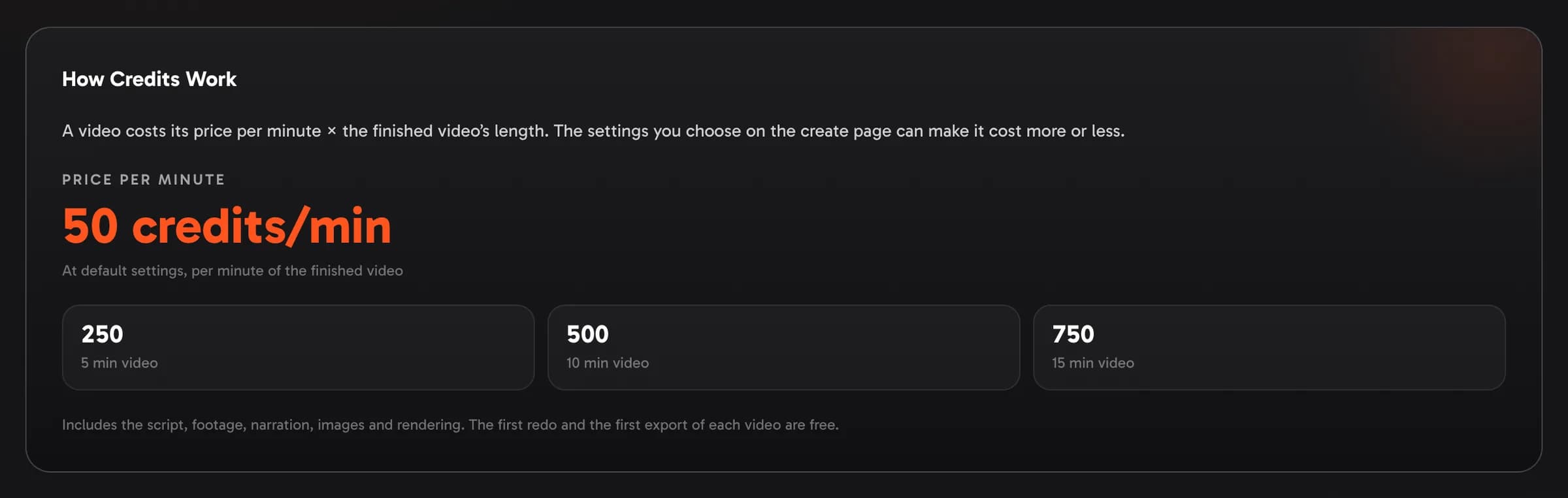
Every video has a price per minute. At default settings it is 50 credits per finished minute, and a video costs its price per minute × the finished video's length. The price includes the script, footage, narration, images and rendering.
The sticky bar on the create page shows the price before you start Show me in the app ↗ — for example Price: 50 credits/min × 10 min ≈ 500 credits — with the reminder that you pay for the finished video's length. Details Show me in the app ↗ shows how the price is made: the default price, what each of your settings adds or takes off, and your price × the length. The first time you create a video, a short notice explains the price per minute.

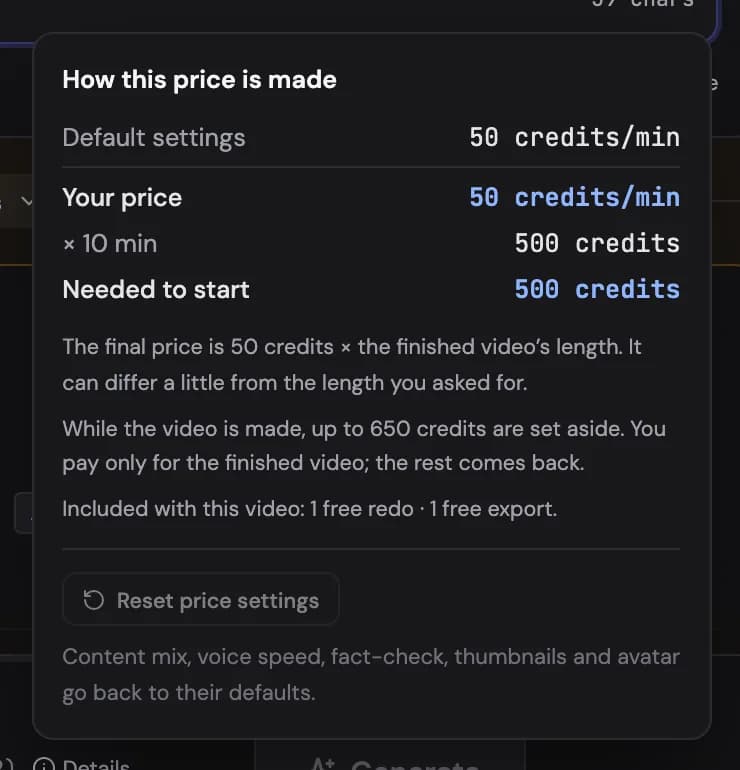
- The price is fixed when you press Generate, so a later change to prices never touches a video that is already running.
- The finished length can differ a little from the length you asked for. You are never charged for more than twice the length of the script you approved.
- Reviewing the script first? The review shows the price at the script's length Show me in the app ↗; approving a longer script sets more credits aside to cover it.
- On the project page the Cost tab shows the price per minute, what was set aside and what was charged Show me in the app ↗.
Settings that change the price
Settings you choose on the create page can make a minute cost more or less; Details shows each one's effect in percent. Settings VidNext picks for you don't change the price.
- A premium voice (such as ElevenLabs) costs a little more per minute.
- Your own voice API key Show me in the app ↗ takes 10% off the price per minute (15% with ElevenLabs) — so does the key your team owner shares (Teams) — only when the key is actually used for the video.
- Your own narration (an uploaded recording) or a song instead of narration costs less.
- Your own script Show me in the app ↗ costs less, since no script is written for you.
- A slower voice speed costs less per minute.
- Enhanced Fact-Check Show me in the app ↗ switched on costs a little more.
- Your own content mix can move the price up or down: video clips and AI images cost the most, graphics the least. A music video is the exception: it has one price per minute whatever footage you pick.
- An AI avatar adds credits per minute, charged only if the presenter's clips were made (see AI avatar presenter).
- Thumbnails made with the video add a one-time amount, for the images actually made.
- Shorts add a small fixed amount per short.
A price never drops below a minimum; when that applies, Details says so. Reset price settings Show me in the app ↗ in Details puts the content mix, voice speed, fact-check, thumbnails and avatar back to their defaults.
Redeem a promo code
Some promo codes — shared by partners or in our campaigns — add credits to your account. Enter yours under Have a promo code? Show me in the app ↗ on your Billing page and press Apply Show me in the app ↗. A code in a link is applied for you when you sign up, and the promo field at the bottom of the pricing page takes codes too. The credits arrive at once and never expire. Each code works once per account, and a code can end on a date or after a number of people have used it. Some codes only work when you arrive through the link they were shared with — for example from an ad: open that link, then sign up or sign in.
If your account needs a plan to create — it was made after plans launched and has no plan yet — a credits code also starts a trial: for the days the code gives, you can create videos, thumbnails and avatars without a plan, with Starter storage and one video at a time. While it runs, your plan card on the Billing page shows until when Show me in the app ↗, and a notice at the top of the app reminds you. After the trial a plan is needed to create again: your videos stay available to watch, edit, download and export, and your credits stay on your account — they work again as soon as your plan starts. Many codes are for people new to VidNext: one trial per person.
The same field takes the other kinds of code too: a discount code is saved for your next checkout, and a partner's referral code links your account to that partner.

Credits from the VidNext team
If our team adds credits to your account, they show in your credit history as Gift from the VidNext team. They arrive at once and never expire, like a promo code's credits.
If your account needs a plan to create — it was made after plans launched and has no plan yet — the team can add a trial with them. It works like a promo code's trial: until the date on your plan card Show me in the app ↗, you can create videos, thumbnails and avatars without a plan, with Starter storage and one video at a time. After it a plan is needed to create again, and the credits stay on your account.
Where to see your spending
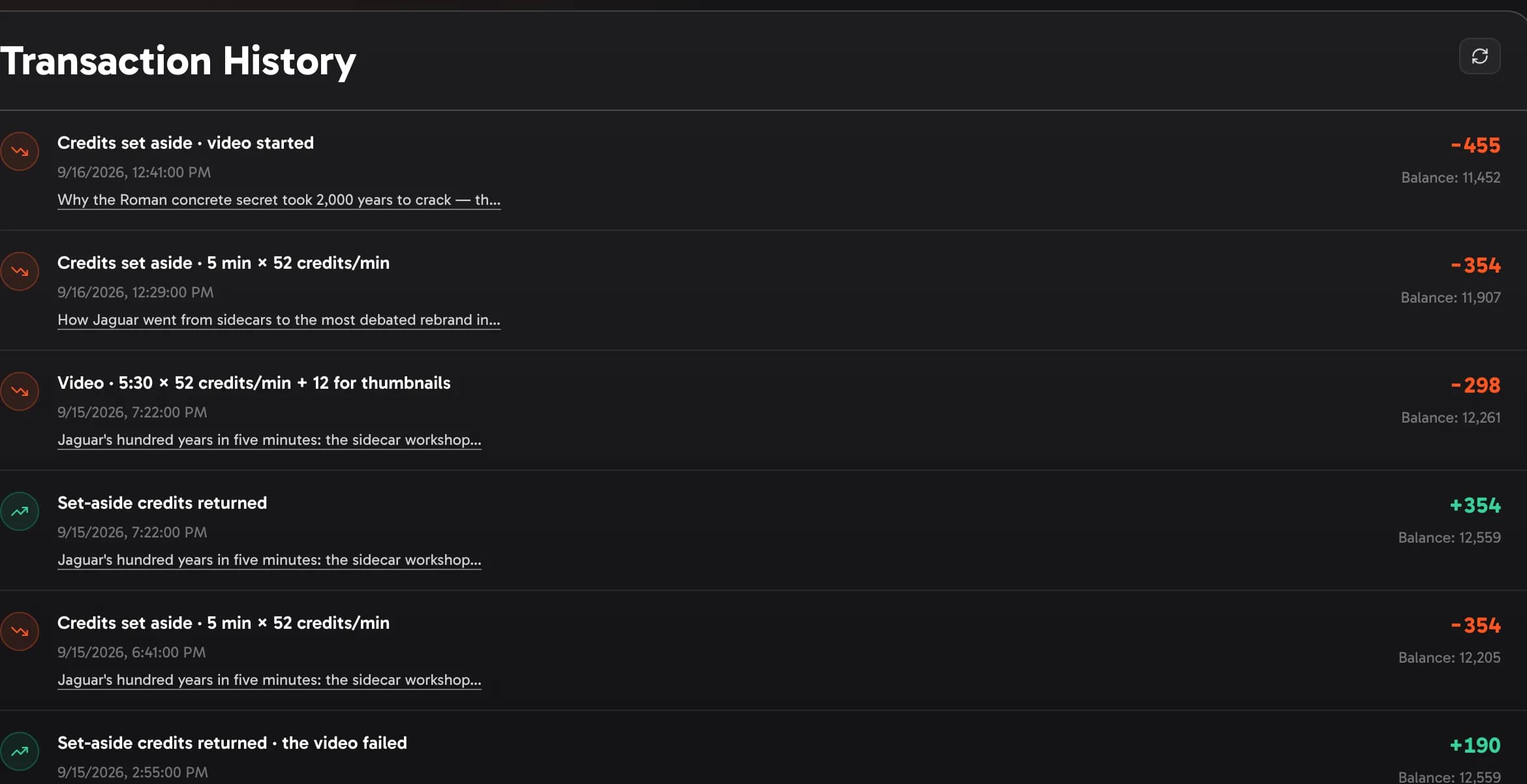
Your balance is always visible in the top bar Show me in the app ↗. The Billing page shows your balance Show me in the app ↗ and lifetime totals, and every charge is itemized in Transaction History with its exact cost and your running balance:

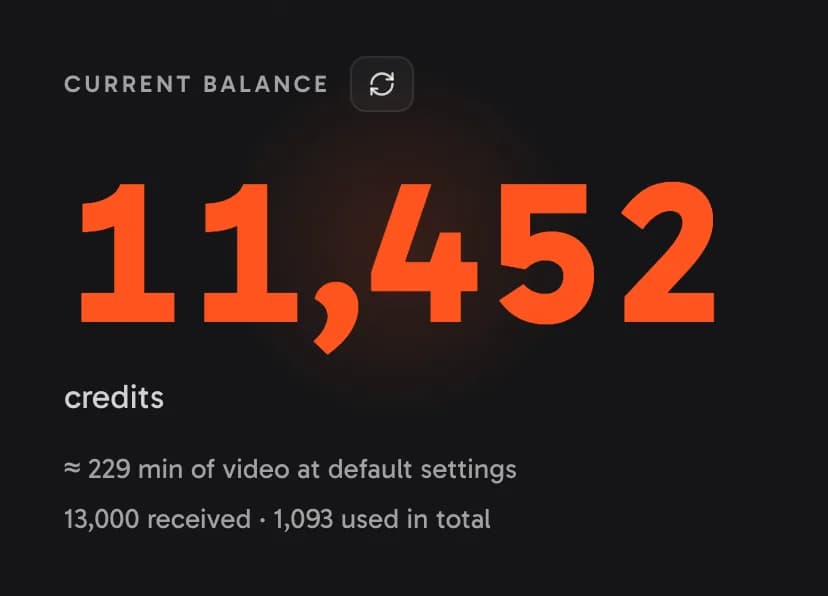
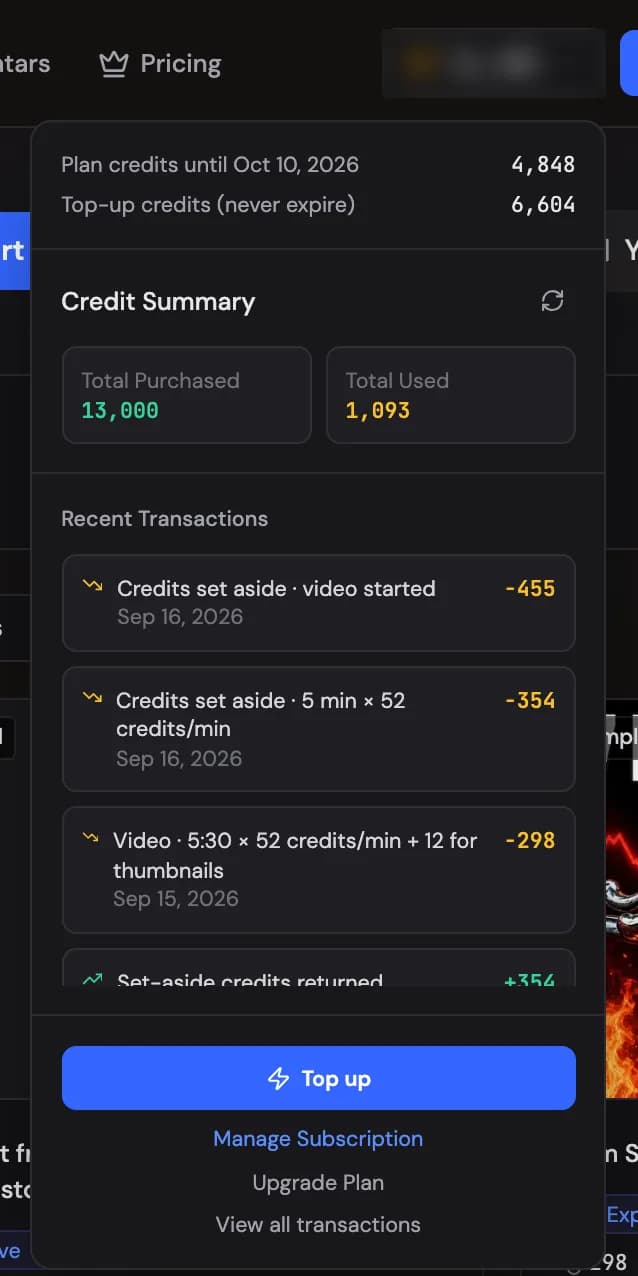
The Billing page also shows your price per minute and roughly how many minutes of video your balance makes at default settings Show me in the app ↗, and your plan Show me in the app ↗. A video's lines in the history read like Credits set aside · 10 min × 50 credits/min, then Video · 10:30 × 50 credits/min and Set-aside credits returned; free ones read Redo · free and Export · free.
Your activity
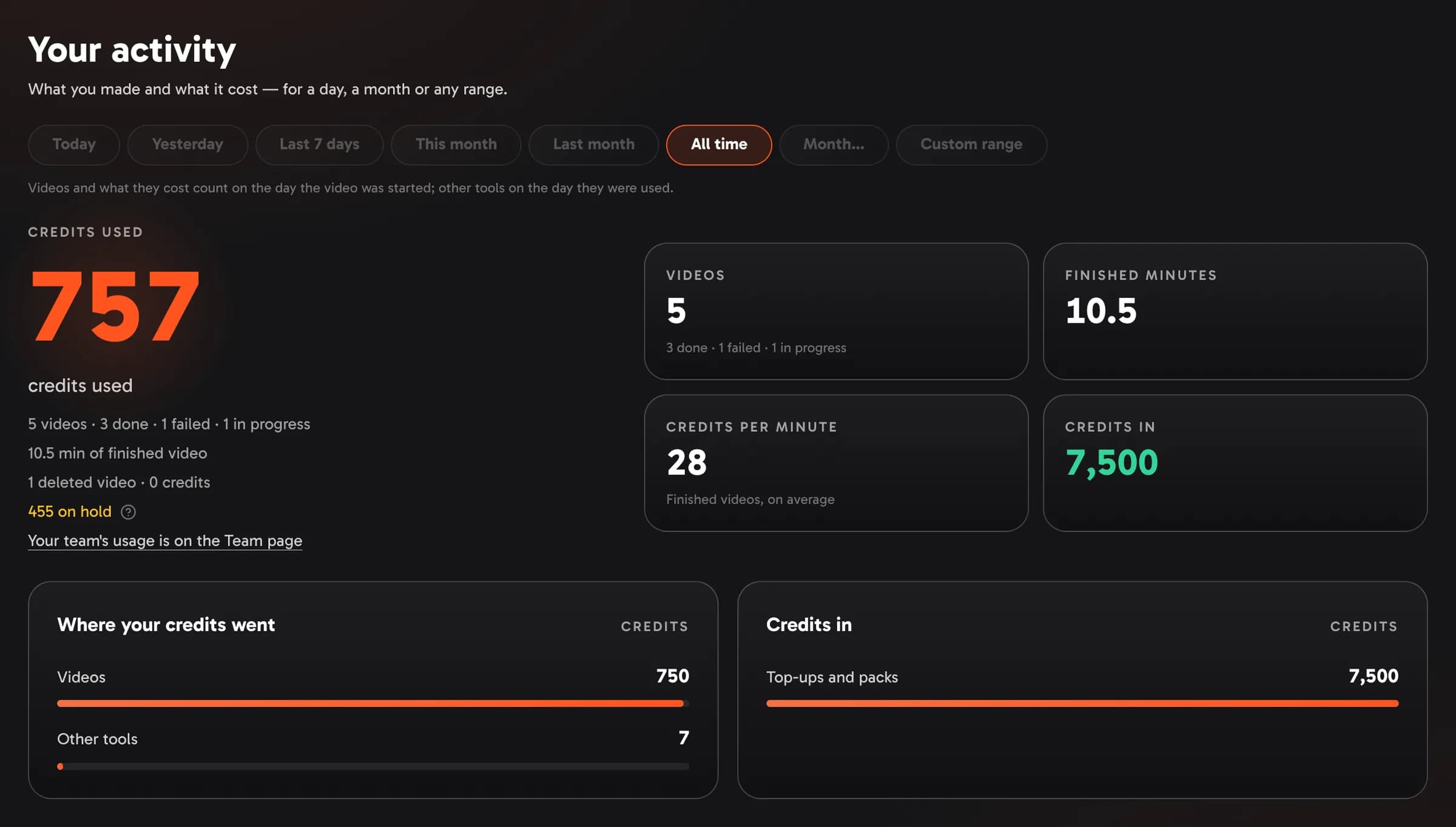
Your activity Show me in the app ↗ on the Billing page shows what you made and what it cost over the period you pick Show me in the app ↗: today, yesterday, the last 7 days, this month, last month, a month of your choice, your own range of days, or all time — in your own time zone.
- Credits used — the big number: everything you spent in the period, after any credits that came back.
- Your videos — how many you started, how many are done, failed or still in progress, and the minutes of finished video. Deleted videos and what they cost are listed too.
- Credits per minute — what a minute of finished video cost you on average.
- Where your credits went Show me in the app ↗ — videos, deleted videos, Thumb Lab, avatars and other tools, each with its share.
- Credits in Show me in the app ↗ — plan credits, top-ups and packs, and bonuses; plan credits that expired unused at a renewal are noted under it.
A video and what it cost count on the day the video was started; other tools count on the day they were used. On a team, the numbers are your own — your team's usage is on the Team page.
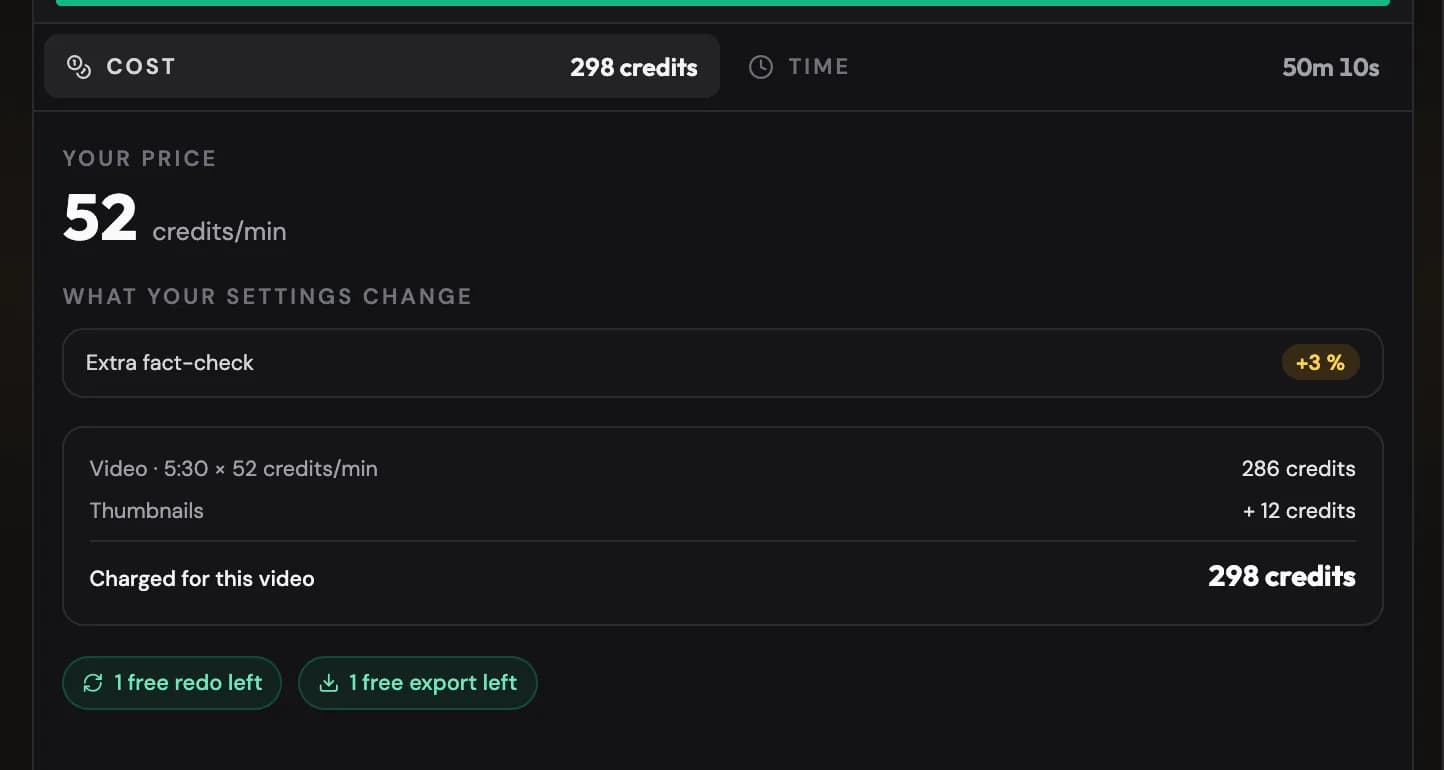
Every project also has a Cost tab Show me in the app ↗. It shows the video's price per minute and what each of your settings changed, then — depending on where the video is — the price at the length you asked for, the credits set aside while it is made, or what it was charged: the price × the finished length, plus any per-short amount or thumbnails. Underneath, it says whether the video's free redo and free export are still left. Videos made before prices per minute keep their per-step breakdown.
The Duration at the top of the project page shows the same finished length the video was charged for.
How charging works
When you press Generate, the price is set aside: up to 30% more than the quote, never more than your balance — and you need at least the quoted price to start. When the video is ready, you pay the price × its finished length and the rest comes back. Your credit history Show me in the app ↗ shows both steps:
- Redos. The first redo of each video is free. Later redos cost what they use, charged when they finish (Redo & regenerate).
- Exports. The first editor export of each video is free. Later exports cost what the render uses (Export & publishing).
- A video that fails is never charged: everything set aside comes back.
- A script left waiting. After a day at script review the credits set aside go back to your balance; approving sets them aside again (Reviewing before production).
Smaller charges for work outside a video are always shown before you commit: thumbnail variants in Thumb Lab (the exact figure is shown next to the generate button), video-reference analysis (~1–12 credits depending on length), Gemini TTS voice tests beyond the free allowance (1 credit each), and avatar takes in Avatar Studio or the editor. Failed generations aren't charged.
Concurrent generations
How many videos can run at the same time comes with your plan (the pricing page lists it for every plan) — or with your earlier top-ups, if they unlocked more. If you hit the cap, the app tells you — just wait for a running generation to finish.
Where to buy
Plans are on the pricing page — the button at the top of your Billing page Show me in the app ↗ takes you there. With a plan, you buy top-ups on the Billing page itself, and that button takes you to them: the Top up this month slider on the plan card Show me in the app ↗ adds any number of minutes from 10 (or pick 30, 60, 120 or 300), and top-up credits never expire. See Pricing & plans.