DocsVidNext API
Webhooks
Get video events on your own URL — what is sent, how to check the signature, retries and resending.
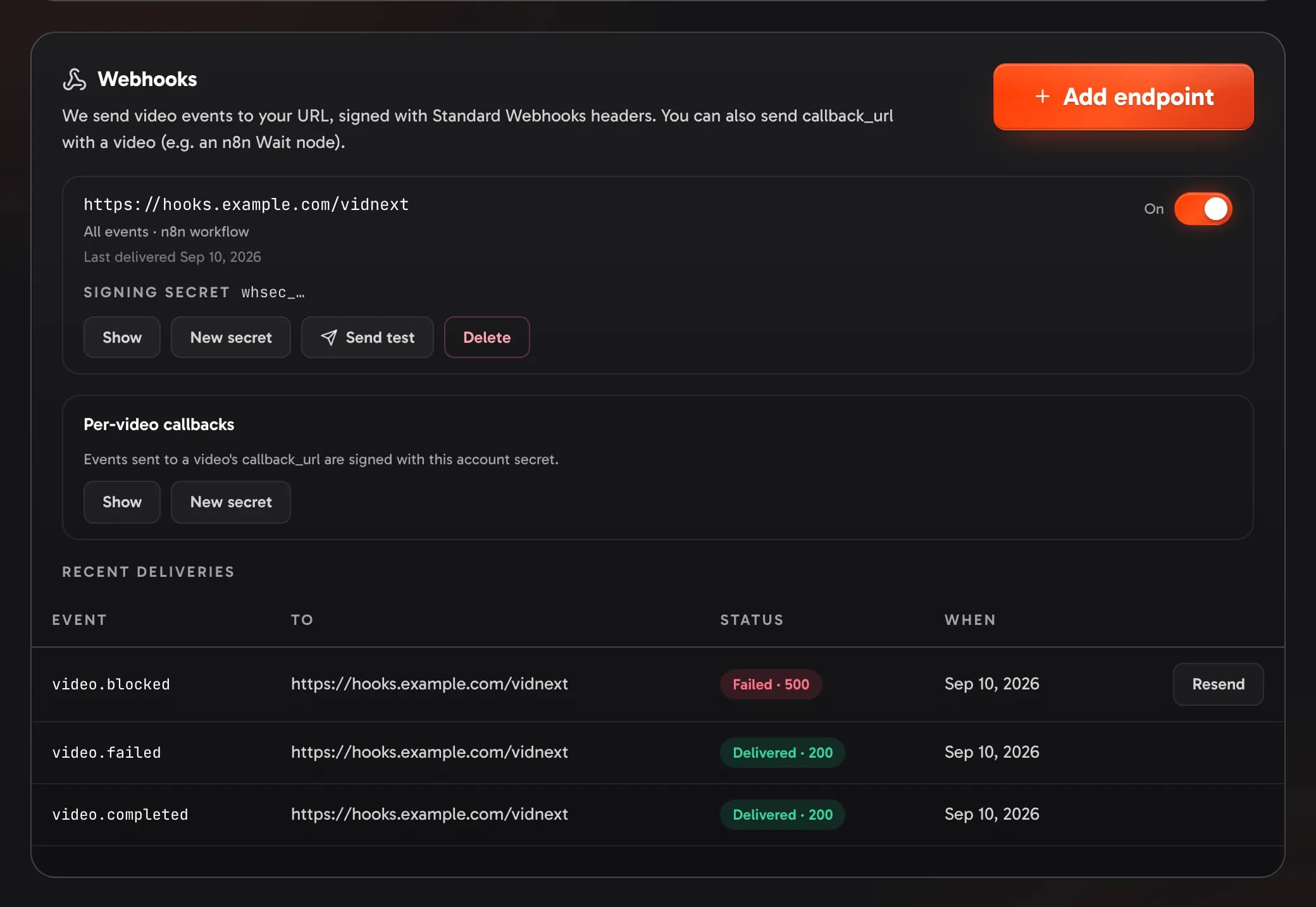
Instead of asking whether a video is ready, let VidNext tell you. Add an endpoint in Settings → VidNext API → Webhooks → Add endpoint Show me in the app ↗ — a public https:// URL Show me in the app ↗ — or send callback_url with a single video.
Events
| Event | When |
|---|---|
video.completed | The video (and its thumbnails, if asked) is ready. Sent once per video. |
video.failed | The video stopped. |
video.blocked | It's waiting for something you can fix — credits, plan, storage. |
video.canceled | It was canceled before it started. |
An endpoint gets every event, or only the ones you tick. Each delivery is a POST with JSON:
{
  "id": "evt_…",
  "type": "video.completed",
  "created_at": "2026-10-21T09:41:05.120Z",
  "data": { "object": { "id": "vid_…", "status": "completed", "result": { "…": "…" } } }
}
data.object is the full video object — a finished video's links are fresh. Send test Show me in the app ↗ sends a test event.
Check the signature
Deliveries are signed with Standard Webhooks headers: webhook-id, webhook-timestamp and webhook-signature. Each endpoint has its own signing secret (whsec_…, Show on the endpoint); callback_url deliveries use the account's callback secret Show me in the app ↗.
import { Webhook } from 'standardwebhooks';

const wh = new Webhook(process.env.VIDNEXT_WEBHOOK_SECRET); // whsec_…
app.post('/hooks/vidnext', express.raw({ type: 'application/json' }), (req, res) => {
  const event = wh.verify(req.body, req.headers); // throws if the signature is wrong
  if (event.type === 'video.completed') saveVideo(event.data.object);
  res.sendStatus(200);
});
Check the signature against the raw body, before parsing it.
Retries
Answer with any 2xx within 15 seconds (redirects are not followed). Anything else is retried — up to 12 attempts over about 19 hours, waiting longer each time. A delivery may arrive more than once: use webhook-id to skip repeats.
Recent deliveries Show me in the app ↗ lists the last ones with their status; Resend sends a failed one again. New secret replaces an endpoint's secret at once, and switching an endpoint Off pauses it.
If a secret leaks
Someone with a signing secret could send your receiver fake events. Under the endpoint, press New secret Show me in the app ↗: the old one stops at once, so put the new one into your receiver right away — deliveries signed with the new secret fail there until you do, and wait to be retried.
- The per-video callback secret has its own New secret Show me in the app ↗, under Per-video callbacks.
- An endpoint you don't recognize, or a URL you no longer trust: Delete it Show me in the app ↗. To stop deliveries only for a while, switch it Off Show me in the app ↗.
- If the API key leaked too, replace it.