DocsCreating videos
Redo & regenerate steps
Fix or improve a single pipeline step without regenerating the whole video.
Generation is a sequence of pipeline steps, and every step can be redone individually. This is the main way to recover from a failed step or improve a part of the result you don't like — without paying for the whole video again.
Where to find it
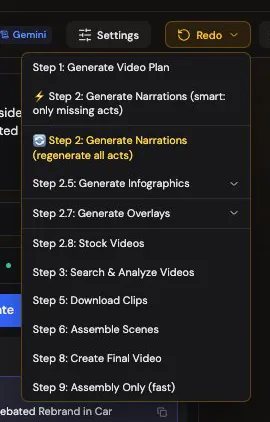
On the project page, the Resume/Redo menu Show me in the app ↗ lists each step: video plan, narrations, infographics, overlays, stock videos, video search and analysis, clip download, scene assembly, final video — plus a fast Assembly Only option that re-renders without redoing any content work. A redo runs with the settings the video was created with; Project settings Show me in the app ↗ in the same top bar lists them.
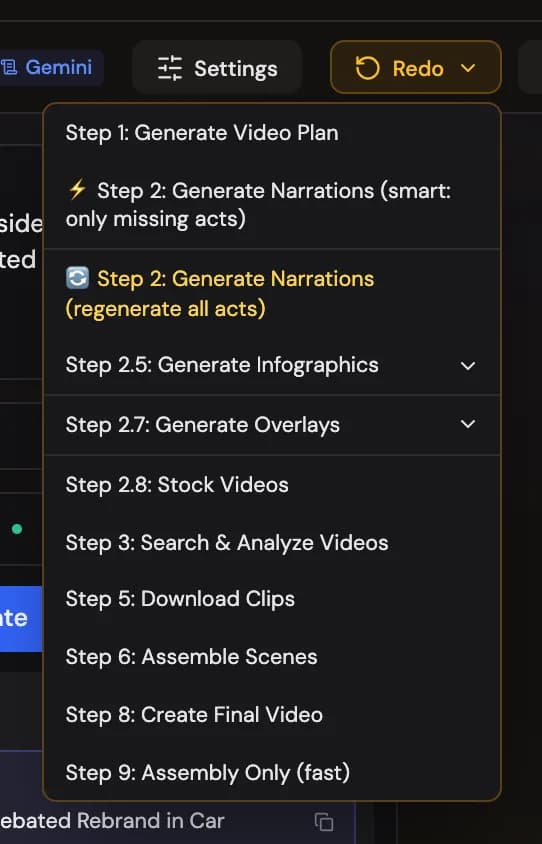
When a render stopped because the finished scenes point at footage files that are no longer available, the error box offers Rebuild scenes Show me in the app ↗ — one press that fetches the missing footage again and renders the video, with every setting and every other asset kept. It is the same as choosing the right step in the Resume/Redo menu, without having to know which one.

Redo modes
For steps that operate on many scenes, three modes Show me in the app ↗ control the scope:
-
Smart Resume — skip what already exists, fix only what failed. The default and usually the right choice.
-
Regenerate All — fresh start for that step; discards its previous output.
-
New Only — process only scenes the step never attempted.
Redoing narrations keeps the plan, re-runs narrations, and the assembly and final render follow because their timing changed.
Resume keeps what's done
Resume Show me in the app ↗ continues a video from a step and keeps the work that already finished. Redo Show me in the app ↗ does the step again from scratch.
- Resume from video search keeps the footage it already found and searches only for the scenes that still have none, so a search that stopped near the end finishes in minutes instead of starting over. Redo of video search searches every scene again — choose it when you want new footage for the whole video.
- Resume from a later step starts at the first step that never finished. If the video search stopped and you resume from clip download, VidNext first completes the search (keeping what it found) and then downloads the clips.
What it costs
Your first redo of each video is free — the confirmation before the redo Show me in the app ↗ says so. Redos after it cost what they use, charged when they finish. Two rules keep this fair:
- You pay for the new step's actual cost only, not for the video again. A narration redo re-bills narration; it doesn't touch what you paid for the plan or footage.
- Smart Resume re-processes only missing or failed items, so a redo that finds most scenes intact costs very little.
One exception: a video whose earlier runs all failed hasn't been paid for yet — failed runs are refunded in full. When you finish it with Redo or Continue, the finished video is charged once, at its price per minute × the finished length. Continuing sets its price aside again, so it needs to be available on your balance.
Downstream effects
Steps feed each other. Redoing narration, for example, changes timing — so assembly and the final render need to run again afterward (the pipeline handles this ordering for you). Redoing the video plan effectively restarts production, so treat it as a last resort; prefer editing the script or fixing individual scenes.
Redo vs edit
If the structure is right and you just want different footage, wording, or styling on specific scenes, the editor is faster and cheaper than a redo — swap a clip, regenerate one narration segment, restyle an overlay, and re-render for a small fraction of the original cost. Reach for step redos when a step failed or when you want VidNext to re-do creative work at scale.