DocsGetting started
Formats — landscape & Shorts
When to use 16:9 landscape vs 9:16 vertical, and how each format behaves.
VidNext produces two formats. Both export in 1080p HD.

Landscape (16:9)
1920×1080 — for YouTube videos and long-form content.
- Duration Show me in the app ↗: 30 seconds to 30 minutes. Presets Show me in the app ↗: 1 min (quick explainer), 3 min, 5 min (standard), 10 min (in-depth), 15 min (deep dive), 20 min (documentary), 30 min (full length).
- Best for: documentaries, explainers, top-10 rankings, reviews, educational content.
- Chapter headings, infographics, maps, and mid-roll ad placement suggestions all make the most sense here.
Shorts (9:16)
1080×1920 vertical — for YouTube Shorts, TikTok, and Instagram Reels.
- Duration: 15 seconds to 3 minutes. Presets: 30 s (quick fact), 1 min (standard), 2 min (in-depth), 3 min (the longest a Short can be).
- Best for: hooks, quick facts, single-idea stories, clips that grab attention in the first second.
Narration and pacing
A Short is written as one continuous narration first — the same writer, research and proofreading as a landscape video — and only then cut into beats. Each beat carries a sentence or a short group of sentences (about 3–6 seconds of speech), so the voice flows from one shot to the next and the finished video lands close to the length you asked for. A single clip plays for at most about 4 seconds, so a longer beat is covered by two clips cut together rather than by one clip held on its last frame. When the planned clips end before the narration does, they keep playing from their own shots — a clip can also give a second, different moment of the same footage — instead of stopping on a blurred still frame. If the footage really runs out, a full-screen photo of the subject covers the rest of the line. Faster visual cuts inside a beat still happen when your brief asks for them. Clips start and end on the source footage's own cuts, so a shot never opens or closes on a split-second flash of a neighbouring shot.
Designs get the time they need: a layout with several pictures or rows, or the end card, is only used on a line long enough to read it, and a text card never holds the screen for long — a longer line gets a picture design instead.
Every line gets a picture of the story itself. The script is written so that each sentence can be shown — a named person, the product, the place, a post, an exact figure — and once the plan is ready every searched clip and photo is checked against the story: a search that would return material from any topic is rewritten to look for this story's own people, events and coverage. The opening hook is always narrated, and the number of beats grows with the length of the Short, so a long script is never squeezed into one final scene.
Clip fit for vertical
Source footage is usually widescreen, so Shorts offer three ways to fit it Show me in the app ↗:

- Auto (default) — decides per clip, by what has to stay visible. One subject that fits a vertical crop: the clip fills the frame, cropped toward that subject (a phone video sitting inside a widescreen frame fills the screen too). A close-up that needs more room: a larger middle part of the clip over a blurred backdrop. People or things on both sides that all matter (a panel, two people far apart, a wide chart): the whole clip stays visible, zoomed out, over the blurred backdrop. Each cut inside a scene gets its own framing, and transitions use the same framing as the clips they join.
- Fullscreen — always crops and zooms the clip so it fills the vertical frame with no bars.
- Blurred — always shows the whole clip with a blurred backdrop filling the rest of the frame.
Text overlays never sit on top of captions: whichever caption position you choose, overlays keep clear of it. Long titles shrink or wrap so every letter stays inside the vertical frame.
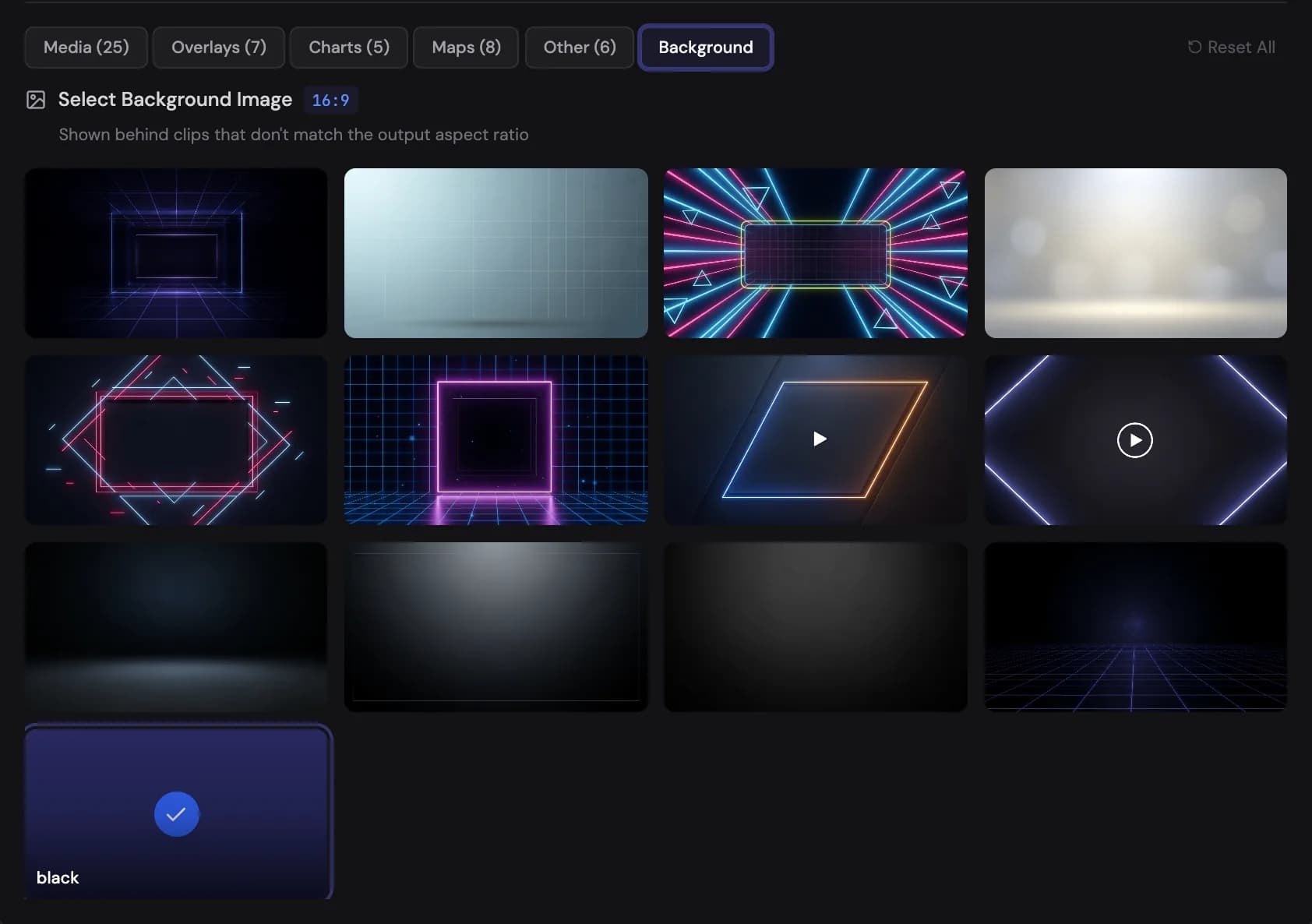
In landscape, clips that don't match the output aspect ratio get a background image Show me in the app ↗ instead — pick from neon frames, soft gradients, studio backdrops, or plain black in the Design & Background step:
AI presenter in Shorts
With an AI avatar, Shorts use split screen (presenter on top, footage below) and a circular corner box above the caption band; full-screen vertical avatars are switched on separately.
Choosing between them
Duration is approximate in both formats — the actual length follows the generated script and narration pacing. A landscape video also runs a few seconds past its last word when it has an ending.
| Landscape | Shorts | |
|---|---|---|
| Aspect ratio | 16:9 (1920×1080) | 9:16 (1080×1920) |
| Duration range | 30 s – 30 min | 15 s – 3 min |
| Platforms | YouTube, embeds | Shorts, TikTok, Reels |
| Pacing | Narration-led, chaptered | Fast, hook-first |
If you're building a channel, many creators generate a landscape video first, then create Shorts on the same topic as teasers — each is its own project, so you can reuse the same prompt with the Shorts format selected.