DocsVidNext API
Quick start
Your first VidNext video through the API in four calls — then the same with an AI agent over MCP.
You need the API on your account — it comes with the Studio and Enterprise plans, or support turns it on — and a key from Settings → VidNext API → New key Show me in the app ↗. Keep the key in an environment variable:
export VIDNEXT_API_KEY="vn_live_…"With curl
Check the key and your balance
curl https://api.vidnext.ai/v1/me -H "Authorization: Bearer $VIDNEXT_API_KEY"The answer shows your balance, plan, how many videos can run at once and today's API videos.
Find your preset
curl https://api.vidnext.ai/v1/presets -H "Authorization: Bearer $VIDNEXT_API_KEY"Each preset has an id, a name and usable — the API can use presets in automatic mode with AI narration. You can also copy an ID on the settings page: Your presets → Copy ID Show me in the app ↗.
Create the video
curl -X POST https://api.vidnext.ai/v1/videos \
  -H "Authorization: Bearer $VIDNEXT_API_KEY" \
  -H "Content-Type: application/json" \
  -H "Idempotency-Key: $(uuidgen)" \
  -d '{"prompt": "Top 10 hidden beaches in Croatia", "preset": "Documentary EN"}'
The answer comes at once (202) with the video's id (vid_…) and "status": "queued". Making it takes about 30–60 minutes.
Get the result
curl https://api.vidnext.ai/v1/videos/vid_… -H "Authorization: Bearer $VIDNEXT_API_KEY"When status is completed, result.download_url gives the MP4 and result.thumbnails the thumbnails. Rather than asking again and again, add a webhook.
With an AI agent (MCP)
In Claude Code:
claude mcp add --transport http --scope user vidnext https://api.vidnext.ai/mcp --header "Authorization: Bearer YOUR_API_KEY"Then just ask: "Make a VidNext video about the 10 hidden beaches of Croatia with my Documentary EN preset, in Ukrainian." The agent reads your presets and options, starts the video and gives you its id — ask it later whether it's ready. Claude Desktop, Cursor, VS Code and n8n, step by step: Connect an AI agent.
Build the request without code
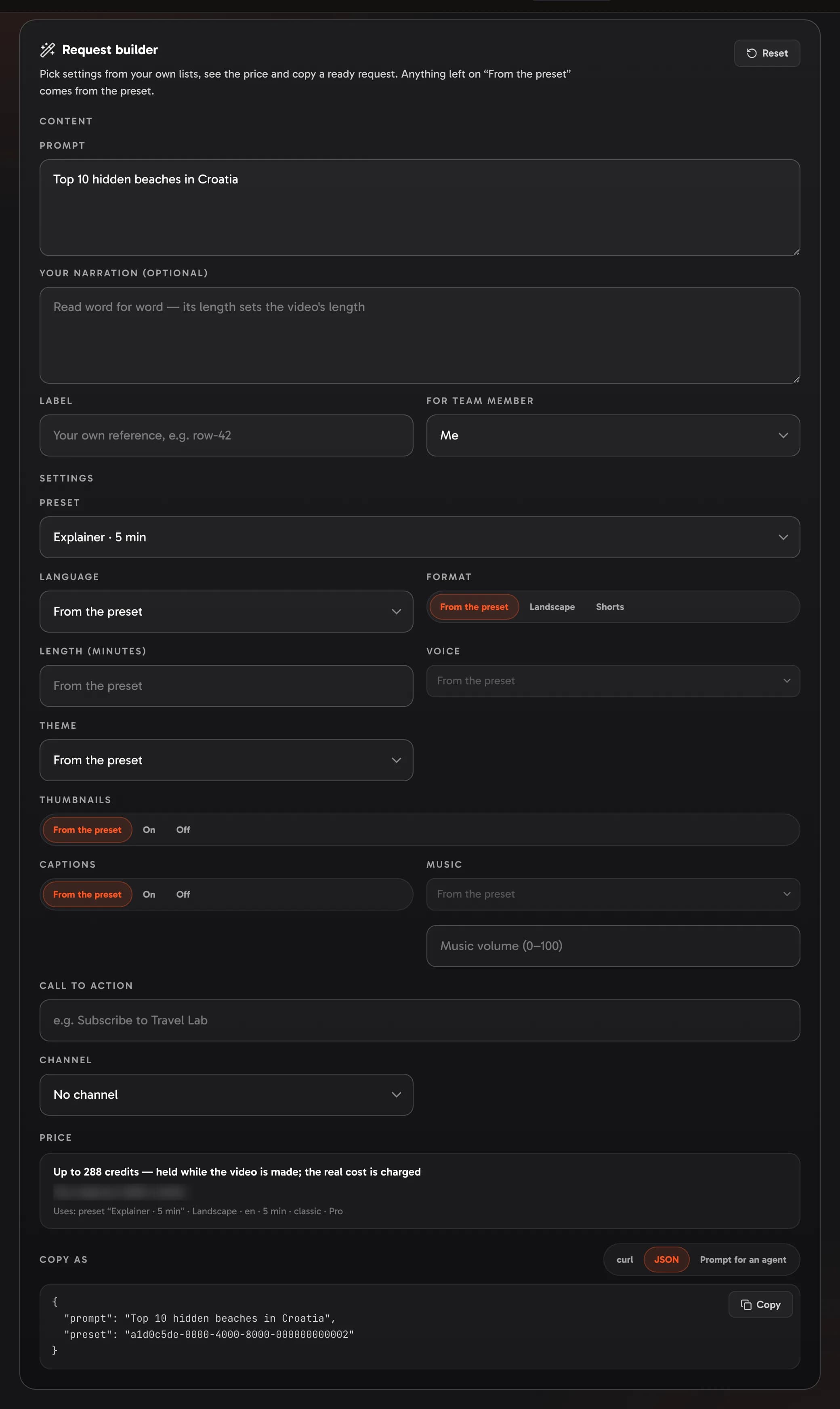
Settings → VidNext API → Request builder Show me in the app ↗ lets you pick every setting from your own lists, shows the price Show me in the app ↗, and copies the request as curl, JSON or a prompt for your agent Show me in the app ↗.