DocsVidNext API
Choose settings
How a video's settings are decided — your preset, then per-video options — and how to find every preset, voice, theme and style ID.
A request needs very little: a prompt (what the video is about) and/or a script (your own narration). Everything else comes in three layers, each one over the one before:
- Your account's defaults — used only when there is no preset.
- The preset (
preset: its ID or its exact name). It holds everything the Create page can set. Withoutpreset, the video uses the channel's default preset (withchannel_id), then your account's default preset. - Per-video options — anything you send in the request wins over the preset.
So the simplest setup is: build the look once on the Create page, save it as a preset, and send only the topic from your agent.
What a request can change
| Option | Example | Notes |
|---|---|---|
language | "uk" | The video's language. All languages. |
duration_minutes | 8 | Ignored when you send script — your narration sets the length. |
format | "landscape" / "shorts" | A theme may support only one. |
voice | { "id": "elevenlabs:21m00…", "speed": "fast" } | See Voices. |
theme | { "id": "…", "mode": "…", "level": "pro" } | See Themes. |
thumbnails | { "enabled": true, "styles": ["auto"] } | See Thumbnails. |
captions | { "enabled": true, "style": "karaoke" } | Styles from GET /v1/options (caption_styles). |
music | { "track": "auto", "volume": 12 } | "auto", "none", or a track ID from GET /v1/music. |
cta | "Subscribe to Travel Lab" | Your call to action, written into the video. |
channel_id | "…" | The channel the video belongs to (its logo, its default preset). From GET /v1/channels. |
logo | true | The channel's logo on the video. Needs channel_id. |
Avatars, writing style, scene mix, transitions and sound design come from the preset only — save them there. New options are added over time; existing requests keep working.
Find the IDs
GET /v1/options— one call with everything a request can choose: languages, formats and lengths, voice services, themes with their modes and levels, thumbnail styles, caption styles, music choices and your default preset. An agent should call it (MCP:get_options) before creating videos.GET /v1/presets— your presets and your team's shared ones, each withusableand a summary of what it sets. Also on the settings page: Your presets Show me in the app ↗ → Copy ID Show me in the app ↗, in the Create page's preset list → Copy ID for the API Show me in the app ↗, and in a video's Project settings window, next to the preset it was made with Show me in the app ↗.GET /v1/voices,/v1/themes,/v1/thumbnail-styles,/v1/music,/v1/channels— the long lists.- The request builder Show me in the app ↗ — the same lists as pickers, with the price and the ready request.
Every list is your account's own: a theme the team hasn't been given, or a voice that isn't shared with you, isn't in it. Team keys pass member to see a member's lists.
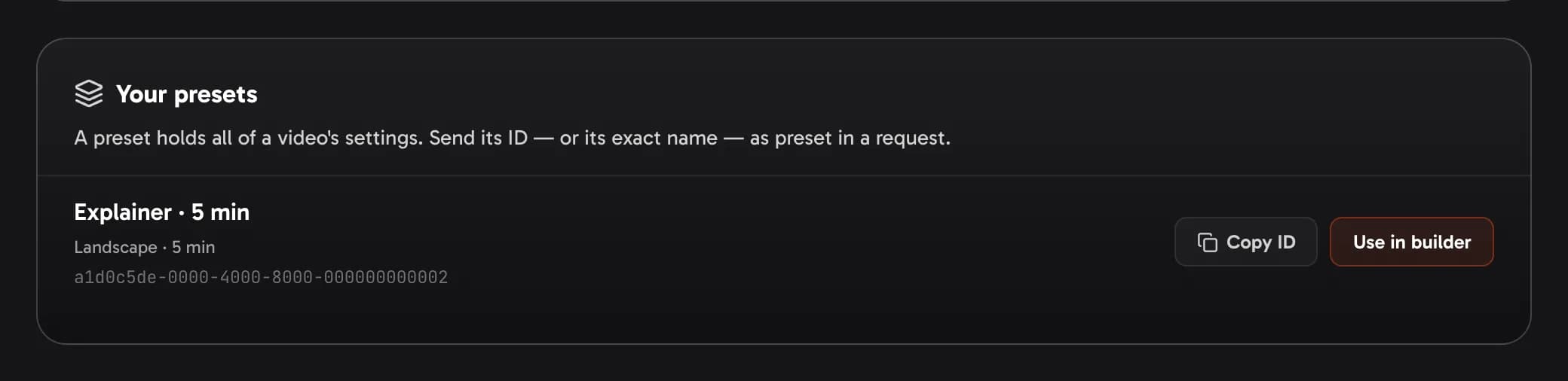
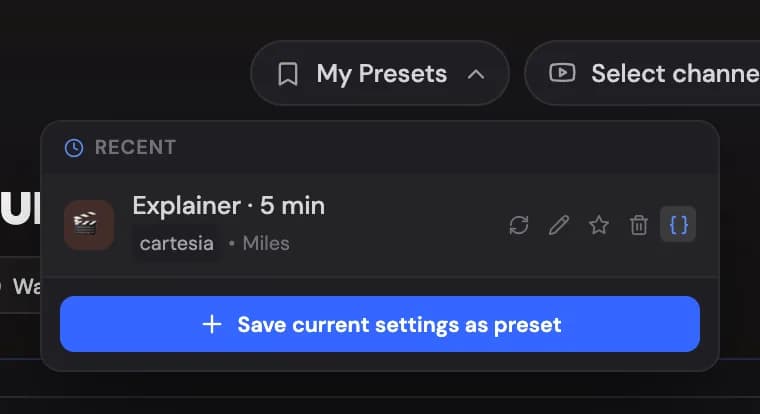
Presets have no unique names. If two of yours share a name, a request naming it is refused with preset_ambiguous and the matching IDs — send the ID instead.
Check before you create
POST /v1/videos/estimate takes the same body as creating a video and creates nothing. It answers with the price for exactly these settings, your balance, and the settings the video would use — or the same error the video itself would get (an unknown mode, a voice that isn't yours, a style you can't use). MCP: estimate_video.