DocsCreating videos
Pipeline overview
What happens between clicking Generate and getting a finished video.
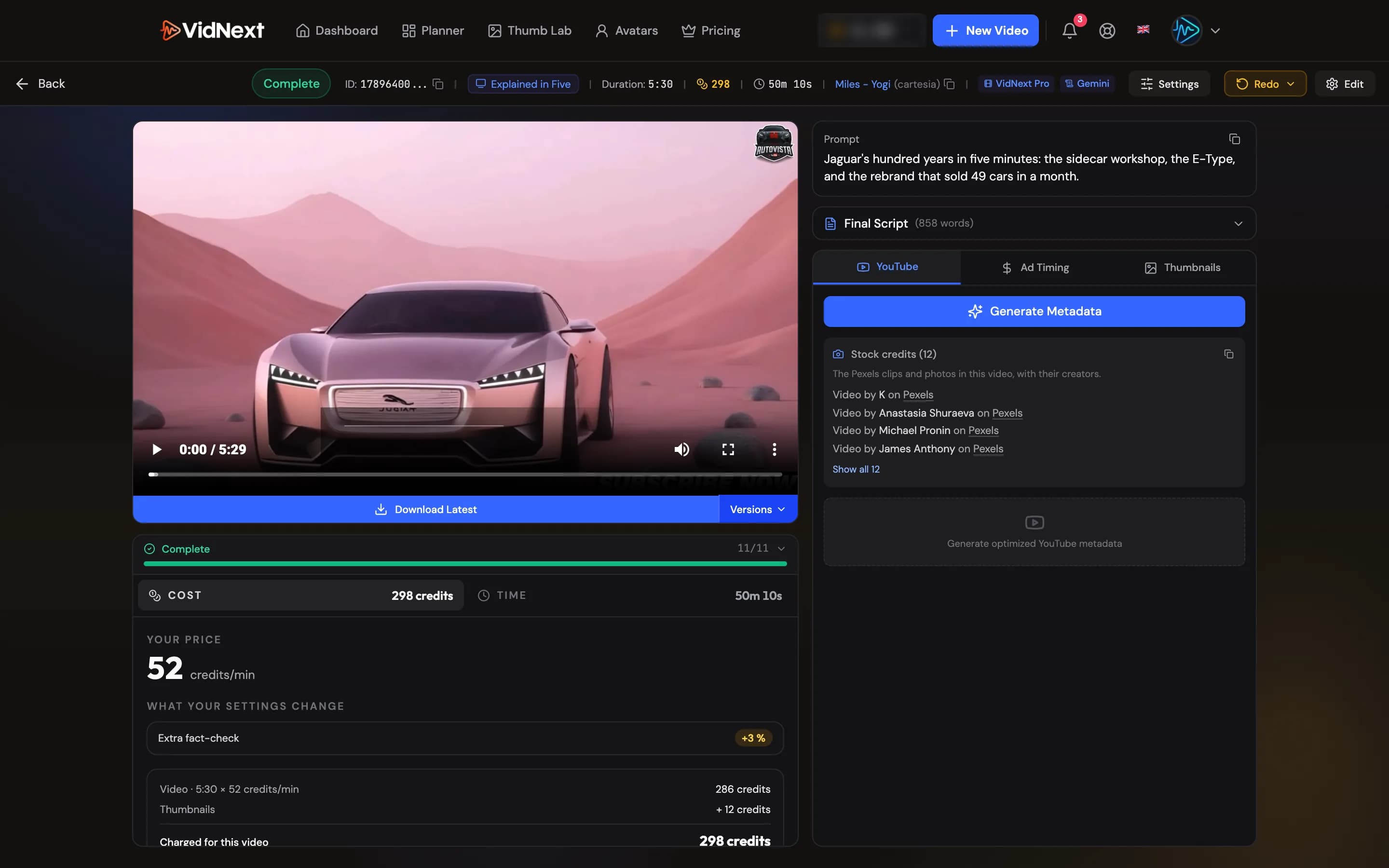
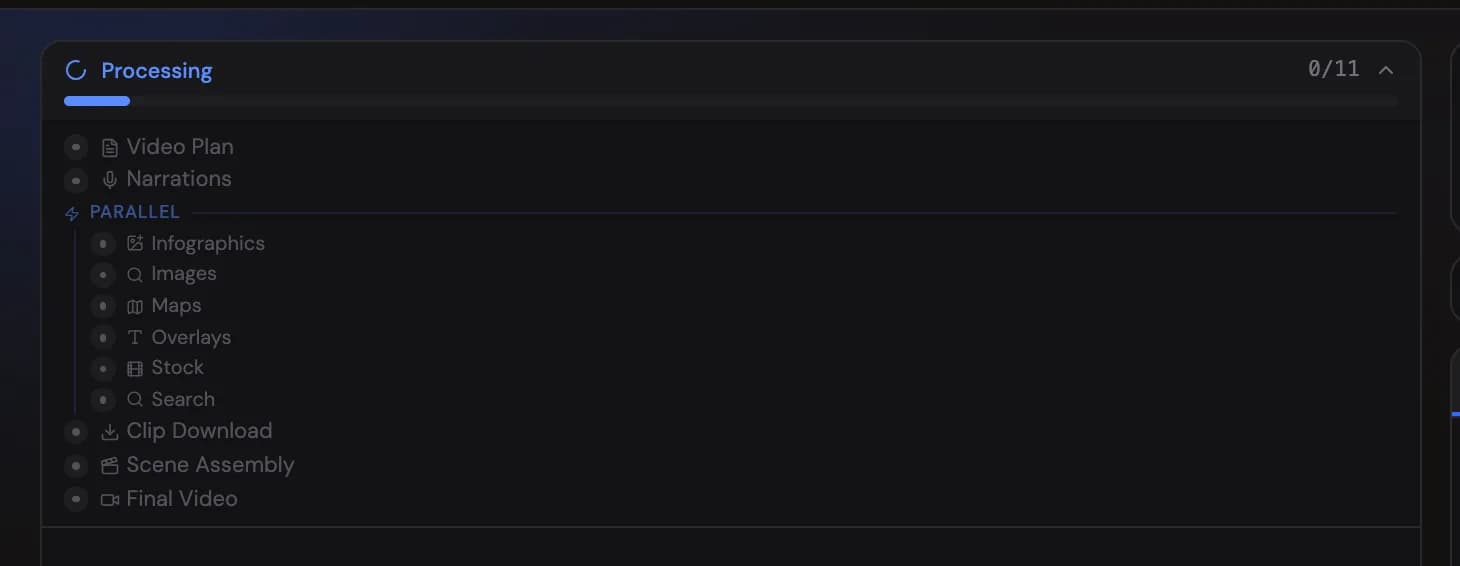
When you start a generation, VidNext runs a production pipeline. Each step is visible live on the project page with its own status, and each can be redone individually later.

The Duration in the header is the finished video's length once it's ready, and the length you asked for — with a ~ in front — while it's being made.
From your own code or AI agent, make videos with the VidNext API.
The steps
Video Plan
The topic is researched and turned into a complete scene-by-scene plan: script, scene types, footage requirements, on-screen text, and timing. If you enabled "Review script before generating" Show me in the app ↗, the project pauses here at Awaiting Script Approval for your sign-off.
Narrations
The script is voiced with your selected narration voice, scene by scene. Everything downstream is timed against this audio.
Visual assets (parallel)
Several steps run in parallel once narration exists:
- Infographics — charts and data visuals for statistics in the script
- Image Search — web and stock images matched to scenes
- Map Images — maps for geographic references
- Avatar Presenter — the talking-head clips for the scenes the plan gave to your AI avatar (only for videos created with one)
- Text Overlays — names, dates, quotes, facts, and labels
- Stock Video — licensed b-roll matched to scenes
- Video Search — finding the exact video clips each scene calls for
Clip Download
The selected clips are downloaded and prepared (trimmed, re-encoded, quality-checked).
Scene Assembly
Every scene is composed: footage plus narration plus overlays plus design templates from your selected style pack.
Final Video
Scenes, transitions, music (auto-ducked under narration), sound effects, and captions are mixed and rendered into the final 1080p file.
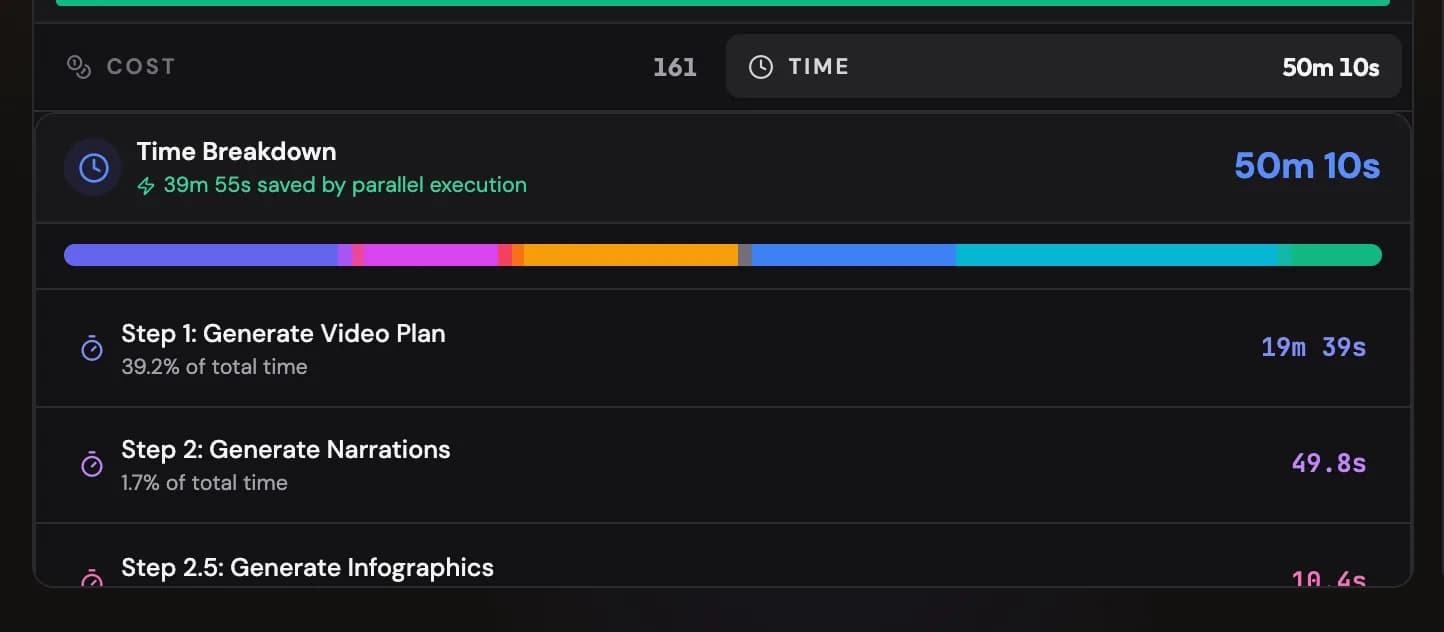
Many steps run in parallel — the project page's time breakdown Show me in the app ↗ shows each step's duration and how much time parallelism saved:
During maintenance
If a maintenance notice is shown at the top of the create page, new projects are paused: Generate and the planner's Start now are disabled, and resuming or retrying a project is not possible until the notice disappears. Videos already rendering keep going, and nothing you created is changed. The buttons return on their own when maintenance ends.
Statuses you'll see
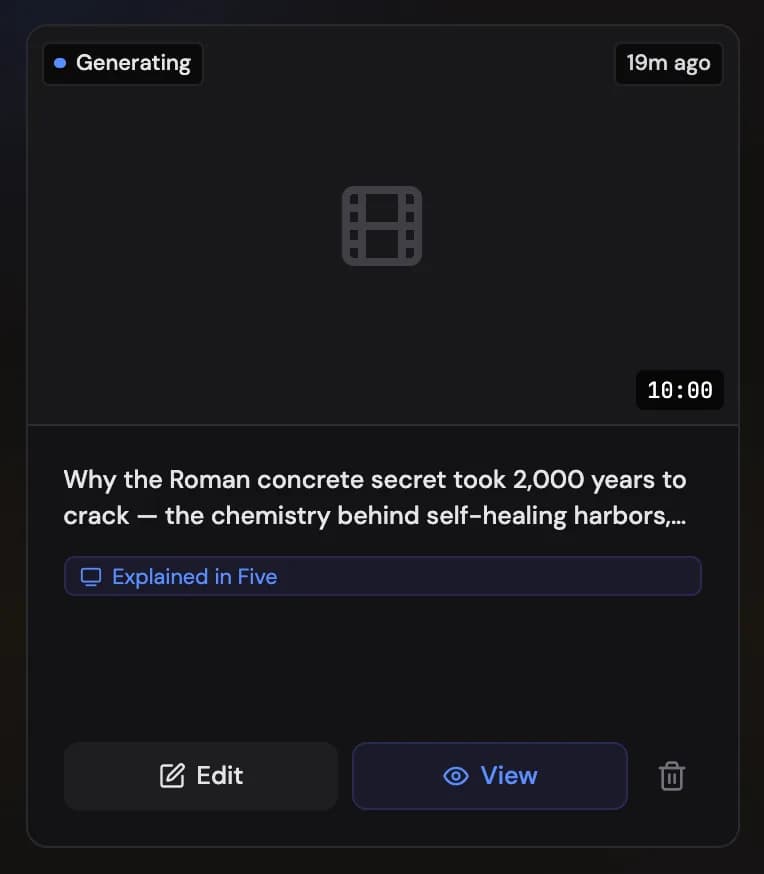
A project moves through Draft → Generating → Rendering → Completed. Other statuses: Queued · #N (many videos are generating at once, so yours waits its turn — it starts on its own in first-come order, and the card shows its place in line with a rough wait when you hover the chip), Analyzing (video reference or uploaded material being processed), Awaiting Script Approval (waiting on you), Failed (a step needs attention — usually fixable with a redo), and Cancelled.

Project settings
The Settings button Show me in the app ↗ in the project page's top bar (an icon on phones) opens Project settings: everything the video was created with. The top of the window shows the video's status Show me in the app ↗ (and what went wrong, if it failed), when it was created, and its project ID with a copy button Show me in the app ↗. Below them, chips name the preset Show me in the app ↗, the mode, format, language, voice and models, and summary tiles Show me in the app ↗ show the credits charged (with what is still on hold while the video is being made), the length against its target, the number of scenes, the script's word count and how long the video took to make.
Two tabs follow. Settings Show me in the app ↗ lists every setting in groups: video, voice and narration, script and writing, visuals, music and ending, the AI avatar and thumbnails, then the designs the video could use. When a logo was involved, the visuals group has a Logo row: On with the channel (or own logo for this video, for a logo uploaded just for it), corner, size, opacity and fade-in the video got, or Off when the video was made without it. Prompt & script Show me in the app ↗ shows the prompt, the script and your other texts, such as a custom writing style or thumbnail instructions, each with its own Copy button; a long script is folded, and Show full script Show me in the app ↗ opens it. Copy all Show me in the app ↗ copies the summary and every setting as text. The button is there while the video is still being made, too.
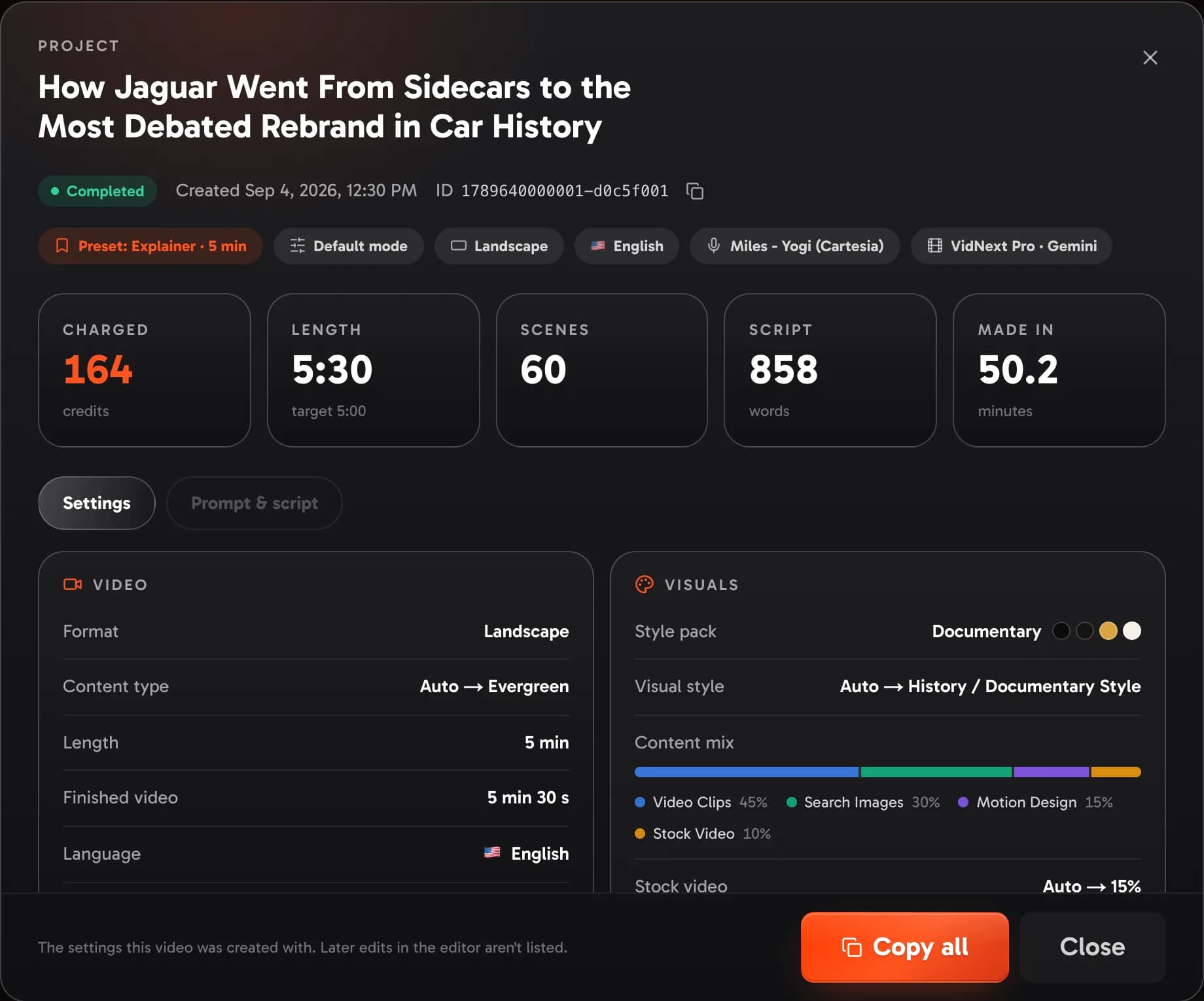
Settings VidNext chose for you are marked: System default when you didn't set them yourself, for example because the video was made in Default mode, and Picked automatically for choices such as the style pack. Settings left on Auto show what was picked once the video has been planned. Videos made before settings were saved with each project show what could be recovered, and their preset shows as Preset not recorded. Changes you make later in the editor aren't listed. Team owners open the same window for their members' videos from the Team page; its Charged tile shows the same number as the Team page's Projects table.
Auto vs manual
- Auto: plan → footage selection → assembly → render, fully unattended.
- Manual: the plan is generated, then you review and customize scenes and select footage before narration and assembly run.
Billing note
The price is set aside when generation starts, and the video is charged at its price per minute × the finished length — the rest comes back. Details in How credits work.